RemoveMacAI: remove Apple Intelligence on macOS 27
A Swift CLI by omlahore that disables Apple Intelligence daemons, clears cached on-device models and returns the disk space — with an undo line printed before it exits.

Apple Intelligence can hold roughly 10GB of disk on a Mac that never asked for it. RemoveMacAI is a Swift CLI by omlahore that turns Apple Intelligence off on macOS 27 and returns that space. It's MIT licensed, fully reversible, and it prints the undo line before it exits.
What RemoveMacAI actually removes
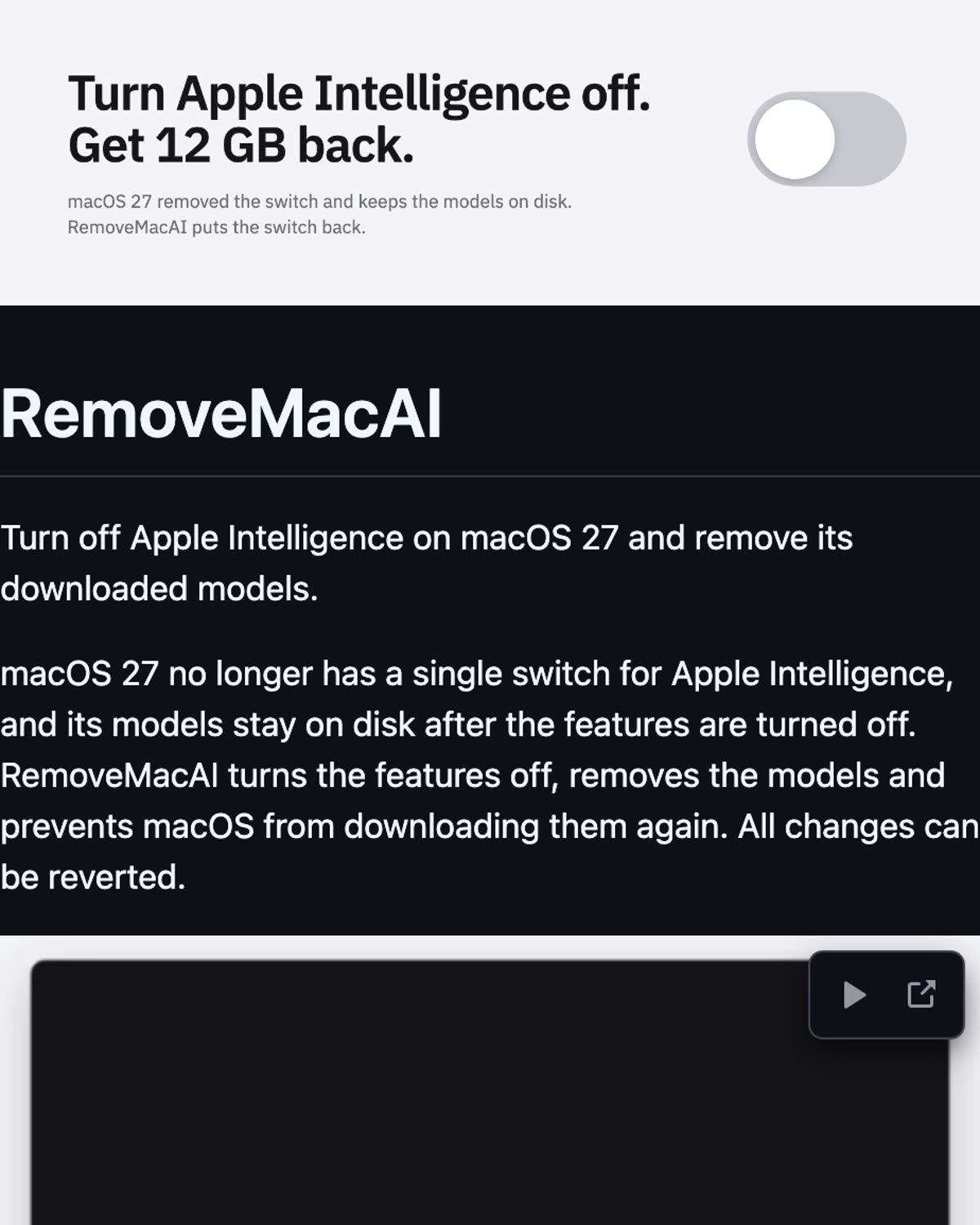
RemoveMacAI is a command-line tool written in Swift. The repo description puts it plainly: "Turn off Apple Intelligence on macOS 27 and get its disk space back. One command, fully reversible." One command with sudo does three things:
- disables the Apple Intelligence daemons
- clears the cached on-device models
- returns the disk space those models were holding
Nothing else on the system gets touched. That narrow scope is the point — it isn't a general macOS debloat script with a long list of tweaks. It targets Apple Intelligence specifically and leaves the rest of the install alone. No background agent, no login item, no extra layer sitting on top of the system.
The project lives at omlahore/RemoveMacAI on GitHub, tagged with topics like apple-intelligence, cli, debloat, macos, macos-27, privacy, siri and swift.
Why the space is worth reclaiming
Apple Intelligence ships on-device models that sit on your disk whether or not you use the features. If you never turn them on, that's storage you're paying for and not using. Those files aren't a normal app you can drag to the Trash — the models and the daemons that load them aren't exposed that way, which is exactly why a CLI for this exists at all.
There's a privacy angle too. If you don't want the feature running, "off" should mean off, and on-device models are a large part of what Apple Intelligence actually is. macOS settings can disable parts of the feature; RemoveMacAI also clears the cached models, and that's where the disk space comes back from.

Clone and build
You'll need the Swift toolchain on the machine. Three commands get you a binary:
git clone https://github.com/omlahore/RemoveMacAI.git
cd RemoveMacAI
swift build -c release
Then run the built binary with sudo — the README shows the exact one-line invocation. Before it changes anything, the tool lists exactly what it is going to remove, so you can read the list first and decide whether to continue.
The undo line
This is the part most debloat scripts skip. RemoveMacAI prints the undo line before it exits. Reversal becomes a copy-paste instead of a hunt through deleted files or a search through the issue tracker for a restore script. "Fully reversible" is in the repo description — printing the undo command is how that claim becomes checkable instead of a promise.
If you're going to hand sudo to something that removes cached system models, "what does the undo look like?" is the first question worth asking. This tool answers it up front, on screen, before it does anything.
Project status
Six days after launch the repo sits at 1,423 stars and 27 forks. It's written in Swift, licensed MIT, and the most recent push is dated 2026-10-05. MIT means the source is right there to read before you run it — which, for a CLI that asks for sudo, is worth doing.
Official links: github.com/omlahore/RemoveMacAI and github.com/RemoveMacAI.
Quick recap
- RemoveMacAI is a Swift CLI by omlahore that strips Apple Intelligence out of macOS 27.
- One command with sudo disables the Intelligence daemons, clears cached on-device models, and returns the space they were holding.
- Nothing else on the system gets touched.
- It lists exactly what it removes and prints the undo line before exiting, so it's fully reversible.
- 1,423 stars in six days, 27 forks, MIT licensed, Swift.
- Repo: omlahore/RemoveMacAI
Get the cheat sheet (PDF)
RemoveMacAI cheat sheet
All 3 days in this series
- Day 015 Chinese AI Models You Can Download Right Now (Open Weights)
- Day 02RemoveMacAI: remove Apple Intelligence on macOS 27
- Day 03golive-skill: ship your AI-built app on your own accounts
Related posts

golive-skill: ship your AI-built app on your own accounts
An open-source Agent Skill plus a zero-dependency Node CLI that runs detect → plan → approve → apply → verify for hosting, database, domain, email and payments.
Read Article
5 Chinese AI Models You Can Download Right Now (Open Weights)
Five Chinese labs ship open-weight models you can download today. All five from the video, with parameter counts, context windows, licenses and official Hugging Face links.
Read Article Salesforce
Day 15/15 — Build a Complete Headless Salesforce AI Assistant
The capstone: a Next.js assistant that signs in with PKCE, lets Claude call Salesforce hosted MCP servers as the user, and asks before every write.
Comments
Loading comments...